Setting up a test should not feel like filling in a tax form. The first versions of Swarm asked a lot before anything happened: the site, the goal, the personas, the device, the access method, the schedule. Every field had a reason, and together they were a wall.
This month we turned setup into a conversation that ends in a run card. You say what you want tested. Eva, the AI assistant in User Evaluation, fills in the rest with defaults that suit most first runs, and shows you the card. You change what you care about and press Start.
Ask for a run, get a run card
In any chat with Eva, ask for a Swarm run in plain words: "Set up a Swarm run on our pricing page", "Test the signup on app.example.com". Eva makes the run card on that first ask. If your message doesn't name a website, that is the one thing she asks for.
The defaults are the ones we would pick for a first look at a site:
- 5 agents, spread across three built-in personas: a careful evaluator, a busy founder and a trial skimmer.
- A desktop browser.
- Run once, rather than coming back every day or week.
- No account. Agents stay on public pages unless you ask for signups.
Nothing starts until you press Start. A run is never charged or counted until it does.
The New run page works the same way
Swarm also has its own setup page: Swarm → New run. It opens as a chat with one question, "What should we test?", and Eva asks only for what your task needs. A task on public pages needs nothing more than the URL. A task that needs an account gets one short question about how the agents get in, answered with a click.
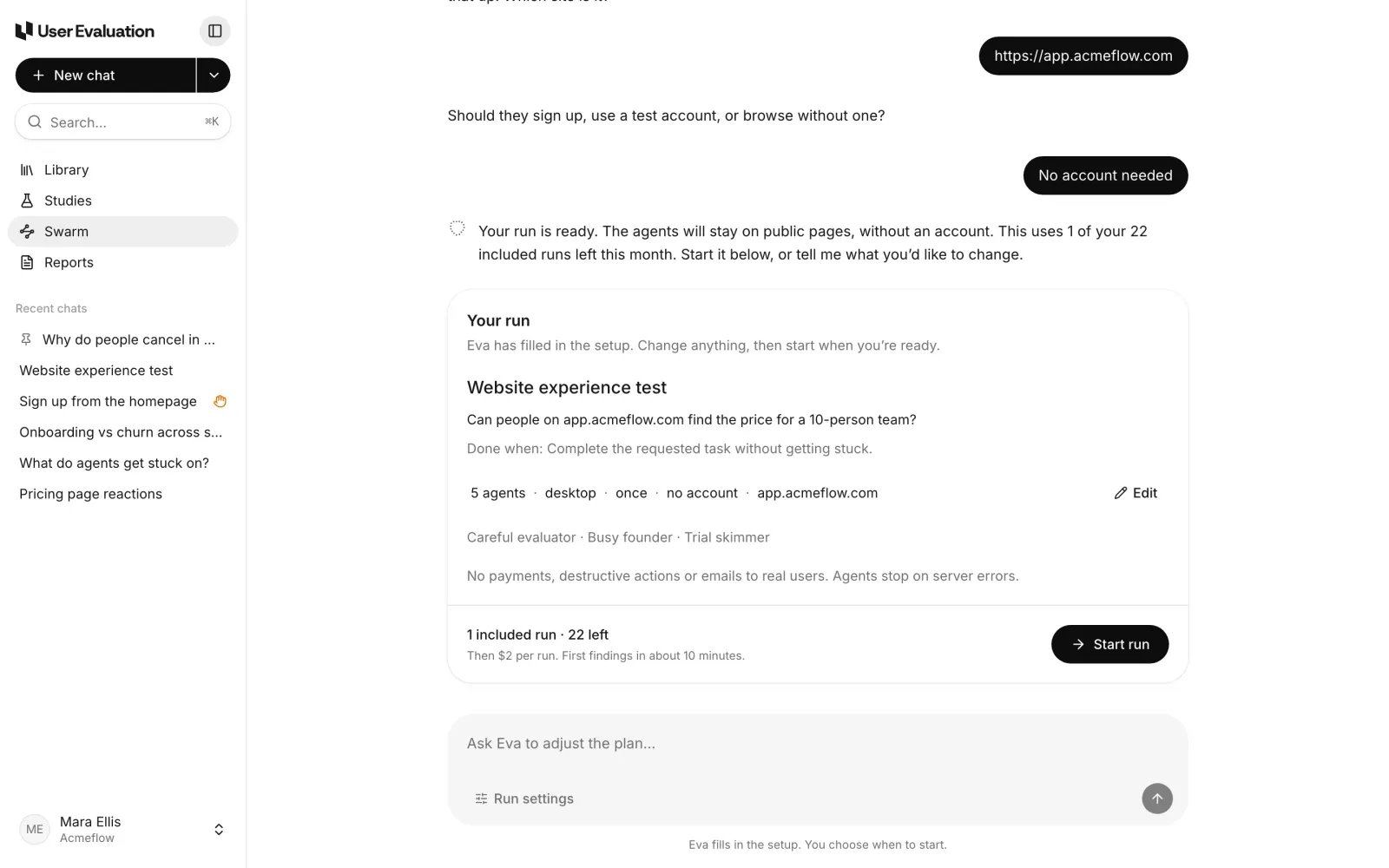
The card sums the run up in one line, such as "5 agents · desktop · once · no account · app.acmeflow.com". Each part of that line is a link to the setting behind it. Under the card you see what the run costs against your plan: which included run it uses, how many are left this month, and the price of an extra run when you've used them. Each plan includes Swarm runs every month (1 on Free, 5 on Pro and 25 on Team), then $2 a run. A run counts once, however many agents it has.
If you ask Eva how many runs you have left, or what an extra run costs, she answers from your workspace's real numbers before she carries on with the setup.
Run settings, in tabs
Everything Eva filled in lives in one Edit run settings pop-up, split into six tabs:
- Task: the run's name, what the agents should try, and what success looks like.
- Agents: how many (1 to 50), desktop or mobile, how patient they are, and which personas they play.
- Access: no account, sign up with addresses on a domain you control, a test account, or an access token. A custom header for your firewall lives here too.
- Website: the URL, live or staging, the start page, paths the agents may or may not visit, and a page limit.
- Safety: four switches. Agents never pay, never delete or cancel anything, never email real people, and stop when your site answers with server errors.
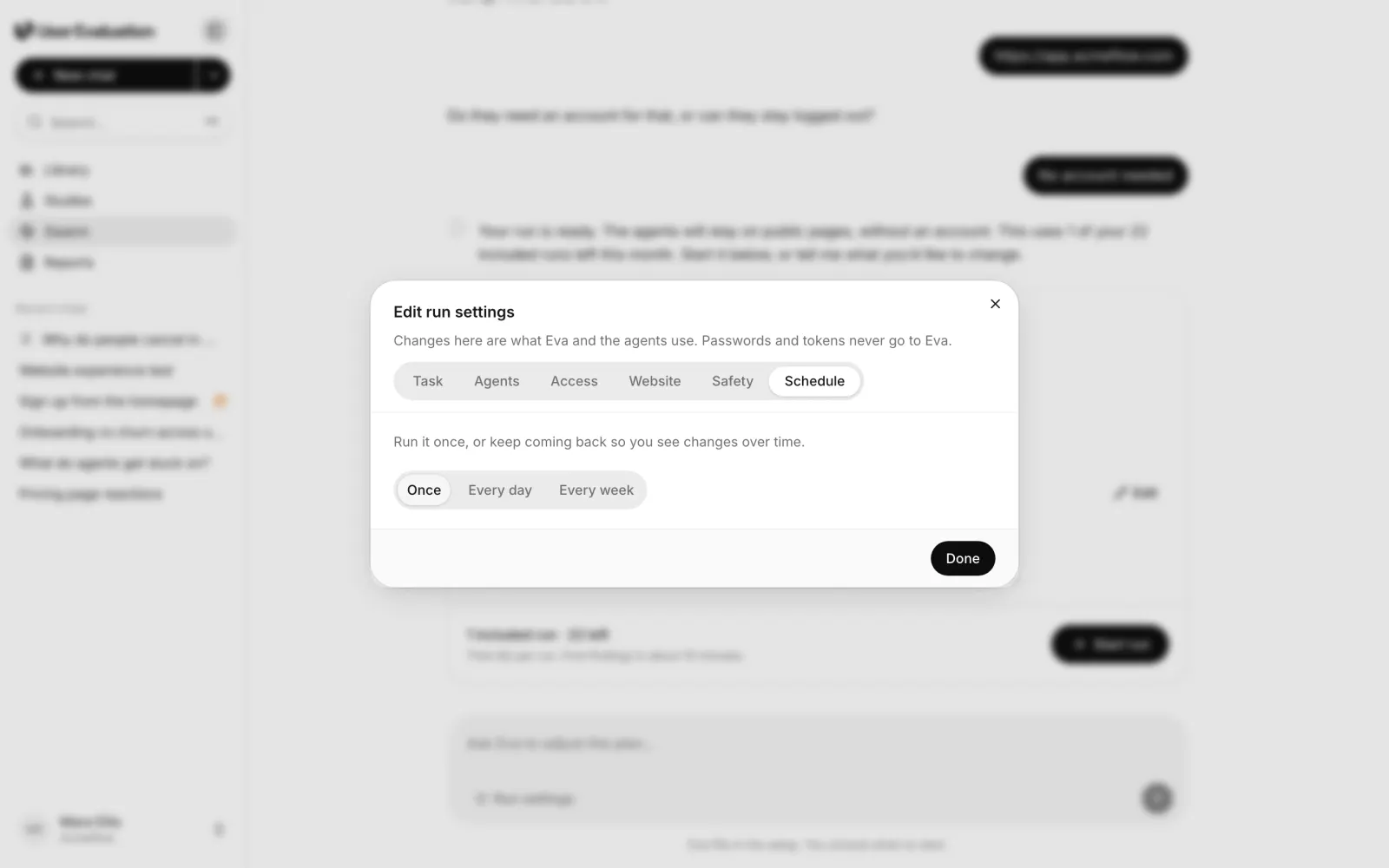
- Schedule: once, every day or every week.
The pop-up edits the same setup Eva works from, so her next reply knows what you changed. If something stops the run from starting, the Start button says why in plain words underneath it, such as "Add the test account's password". Click the reason and the right tab opens.
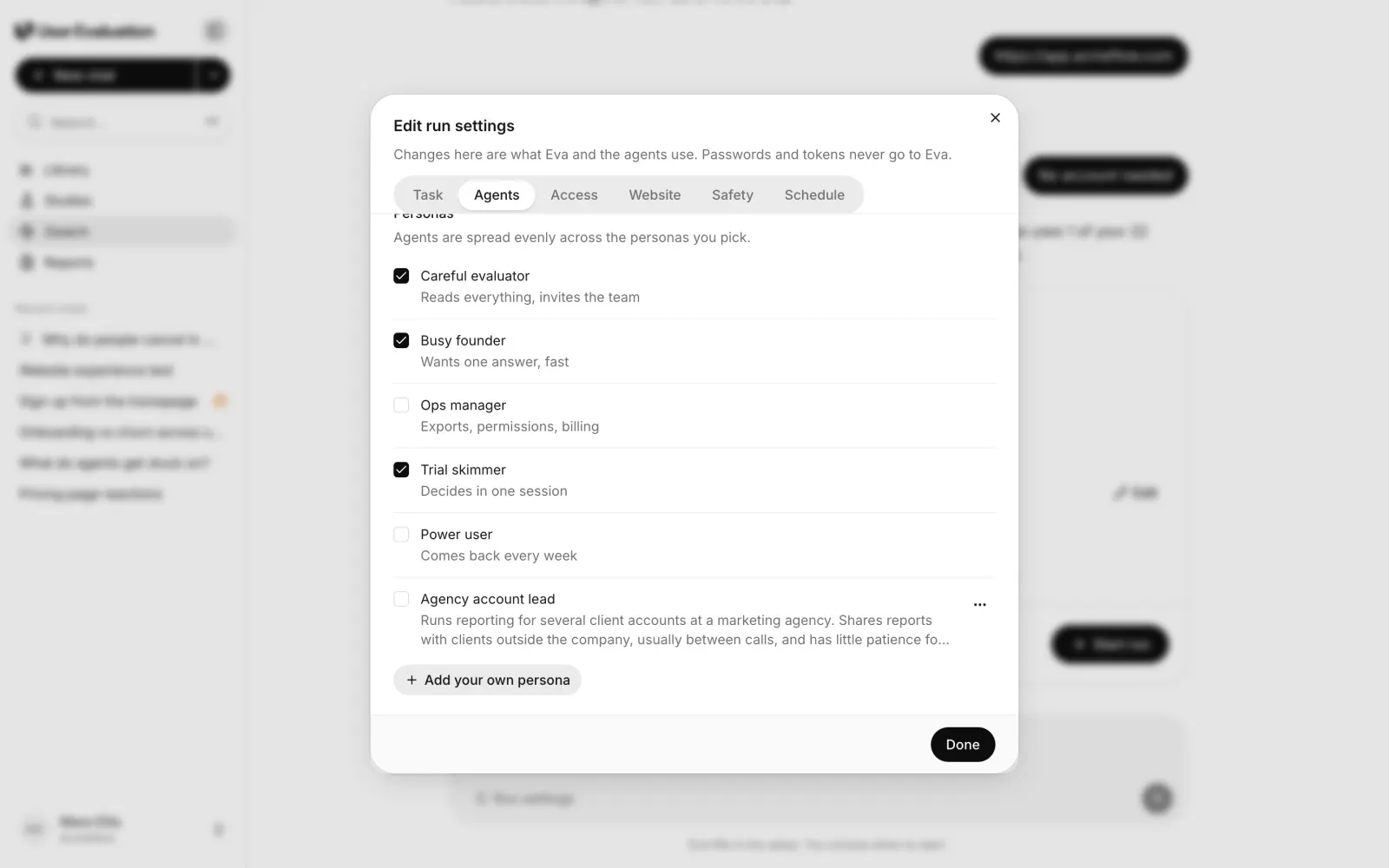
Your own personas
The five built-in personas cover common visitors, but your customers are more specific than that. So you can now write your own. On the Agents tab, Add your own persona takes a name and a short description, such as "Agency account lead: runs reporting for several client accounts and shares reports with clients outside the company, usually between calls."
A few details worth knowing:
- Personas belong to the workspace. Anyone on the team can pick them for a run, and Eva can pick them too when your request fits.
- Runs keep their own copy. Editing or deleting a persona later never changes a run that already used it.
- The description shapes the agent. It goes into the agent's instructions, its session labels, and, for signup runs, the email address it signs up with.
Custom personas are a cheap way to test the journey of a customer type that is hard to recruit, before you spend anything on recruiting real ones.
Passwords never go through the chat
Some runs need a login. You add test account details and tokens in the Access tab, not in the conversation. Eva never sees them, and they are stored encrypted. If you type a password into the chat anyway, the New run page reads it locally and masks it before anything is saved or sent to Eva.
After a reload, the run card comes back with your setup, but secrets don't. Start then asks you to add the password or token again, so it is never kept anywhere it shouldn't be.
The card stays in your chat
When you start a run from a chat, its card stays at the end of that conversation with an Open run button. The chat lives in Recent chats, so you can come back to it, ask Eva about the run, and see any agent that needs a hand. Setup chats you never finished are tidied away after a day.
A good first run
If you are not sure what to ask for, start small and specific:
- Pick one journey that matters, like signup, pricing or the first report.
- Keep the defaults for the first run. Five agents on a desktop, once, is enough to see the big problems.
- Add one custom persona that looks like your best customer.
- Read the findings, then decide what to test next, or what to check with real people.
For what agents are good at and what they are not, read our piece on synthetic users versus real participants. For the rest of the product, see how Swarm works and the pricing page.