An AI agent that tests your website has one job: experience the site the way a visitor would. That turns out to be harder than it sounds, because websites don't treat every browser the same. Bot protection scores how a browser identifies itself and how its clicks and keystrokes arrive. A browser that looks like a script gets challenged, slowed down or blocked, and then your test measures your bot protection instead of your product.
This month we rebuilt how Swarm agents use the browser so they look and behave much more like a person at a keyboard. We also taught them something people do without thinking: wait when a page says it is working.
A real, visible browser
Swarm agents used to run in a stripped-down "headless" browser, the kind built for automation. It is fast and light, and it is also exactly what bot checks look for. When we tested a Cloudflare Turnstile check from our own servers, the headless browser failed it every time, whoever clicked. So did every browser that changed its own identity string, and so did simulated touch taps.
What passed was a full browser running with a real display, using its own identity, with a mouse click. So that is what agents use now:
- Full Chromium with a screen, not the headless version.
- No disguise. The browser reports itself as the browser it is. It doesn't claim a made-up name, and it doesn't flag itself as automated.
- Mobile runs use a real phone profile: an iPhone 13 screen size, touch and pixel density, with the browser's own identity.
The result is that bot checks see an ordinary browser, which is what your visitors use.
Mouse and keyboard input that moves like a person's
Bot checks don't only look at the browser. They look at how input arrives. A click that appears from nowhere on the exact centre of a button, with no movement before it, reads as a script.
So agents now move like people:
- The pointer travels a gently curved path to its target, easing in and out, from wherever it last was.
- There is a short pause between pressing and releasing the mouse button.
- Short text is typed key by key, the way a person types an email address, rather than pasted in one go.
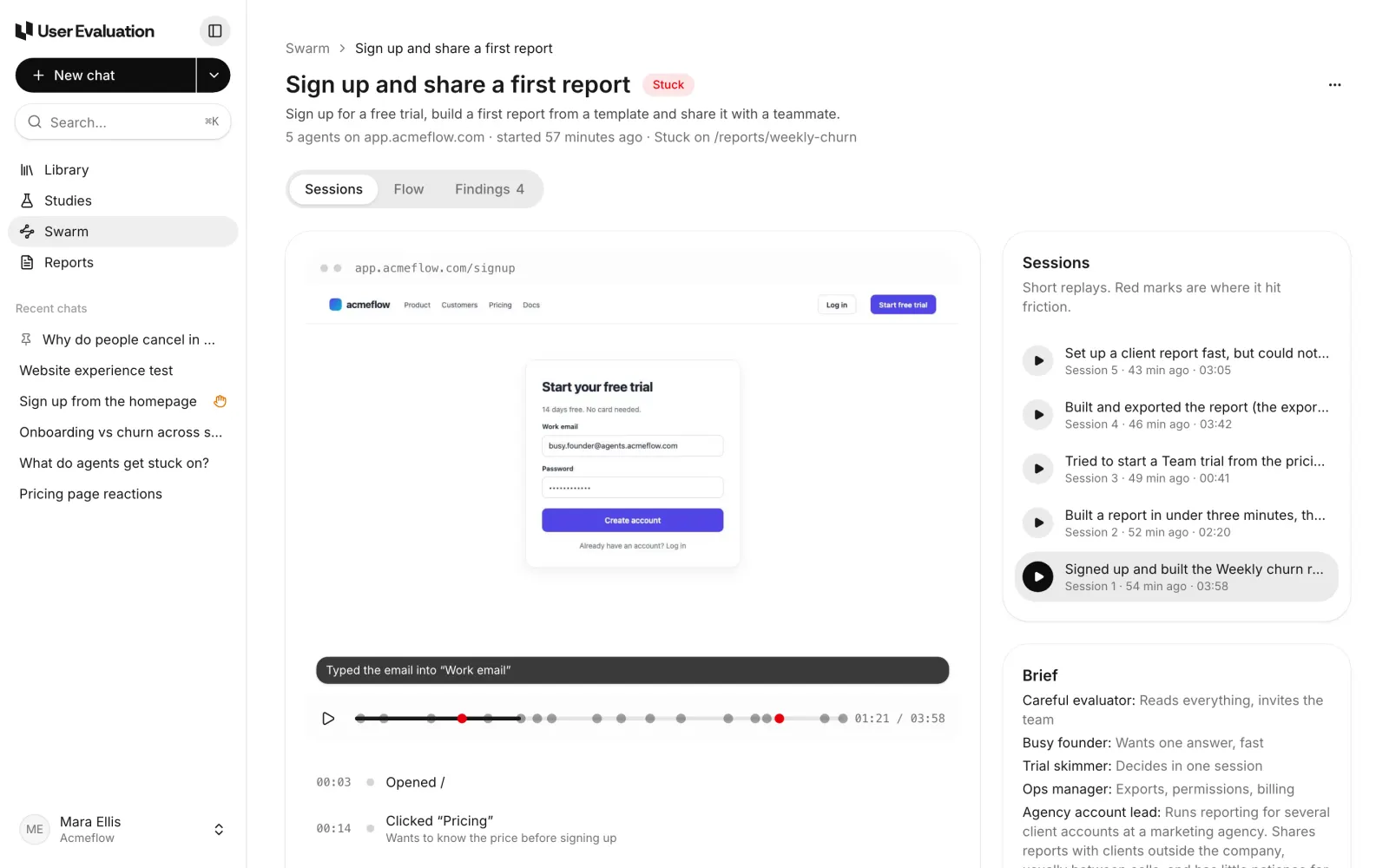
When a person helps an agent past a captcha from the run page, their clicks are relayed the same way, so a check that watches the pointer sees a natural movement.
Captchas still go to a person
A browser that looks normal passes more checks, but some pages will always ask for proof that a human is there. Agents never solve captchas. When one appears, the agent raises a hand, and someone on your team solves it from the agent's live browser and hands it back. We wrote about that in Captcha hand-off.
If you control the site, you can avoid both by running on a staging environment, or by letting the run's custom header through your bot protection. You set the header in Edit run settings, under Access.
Agents wait out slow pages
The other change is about patience. In one of our own test runs, two agents got through a signup, started a report that takes a while to build, and gave up after about two minutes while the page was still working at 68%. One even reloaded the page, which started the whole job again. A person wouldn't have done either.
Agents now follow the rule a person follows. If the page shows it is working, it is working:
- A progress bar, a percentage, a spinner, or "step 3 of 7" means wait. The agent waits and checks again, for as long as it takes.
- It doesn't reload, go back or submit again while the page works, because that starts the job over.
- It only treats a page as stuck when nothing has changed for 3 minutes.
- A slow wait can still be friction worth reporting. The agent sees it through and notes it.
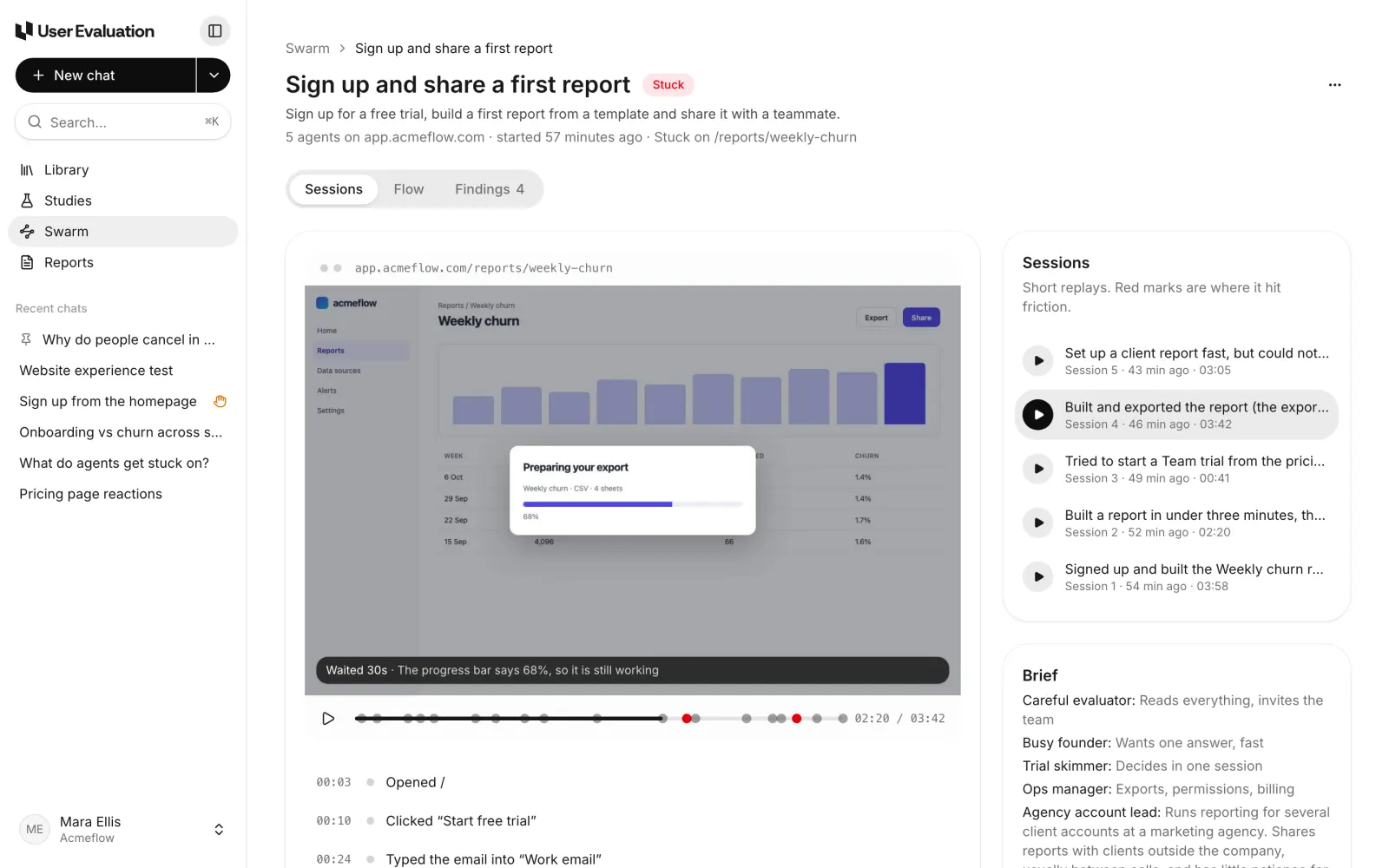
To make room for this, testing has no time limit any more. The session clock that remains is only a guard against a session that has hung, set at an hour. The step and cost limits stay, because they protect your included runs.
Pages are pictured when they are ready
A replay is only useful if its screenshots show what the agent saw. We found a run where the screenshot after a click showed a white page with a loading bar, because it was taken before the next page had drawn. Now each step's screenshot waits for the page to load, for network requests to settle, and for two frames to draw, so the replay shows the page the agent actually acted on.
What this means for your results
Taken together, these changes make Swarm runs more faithful to a real visit:
- Fewer false blocks. A run that ended at a bot check last month is more likely to get through now, and when it can't, a person can.
- Slow steps get measured, not abandoned. You find out that an export takes over 40 seconds, instead of reading that agents "gave up" on it.
- Fewer accidental resubmits. Agents don't restart a job or send a form twice by reloading a page that is still working.
Safety rules haven't changed. Agents still never pay, never delete or cancel anything, never email real people, and stop when your site answers with server errors.
Try it
Every Swarm run uses the new browser, on every plan. Set one up by asking Eva in a chat, or from Swarm → New run; see Set up a Swarm run in chat. Plans include runs every month, with extra runs at $2 each. The details are on the pricing page, and the product is on the Swarm page.